·6 min read
From Legacy ERP to Modern Web App: A Migration Playbook
Outgrowing your old ERP? This step-by-step playbook covers process mapping, data cleansing, phased rollouts, parallel runs, integrations, and training so your migration stays on track.
- erp
- legacy migration
- web app
- digital transformation
- sme
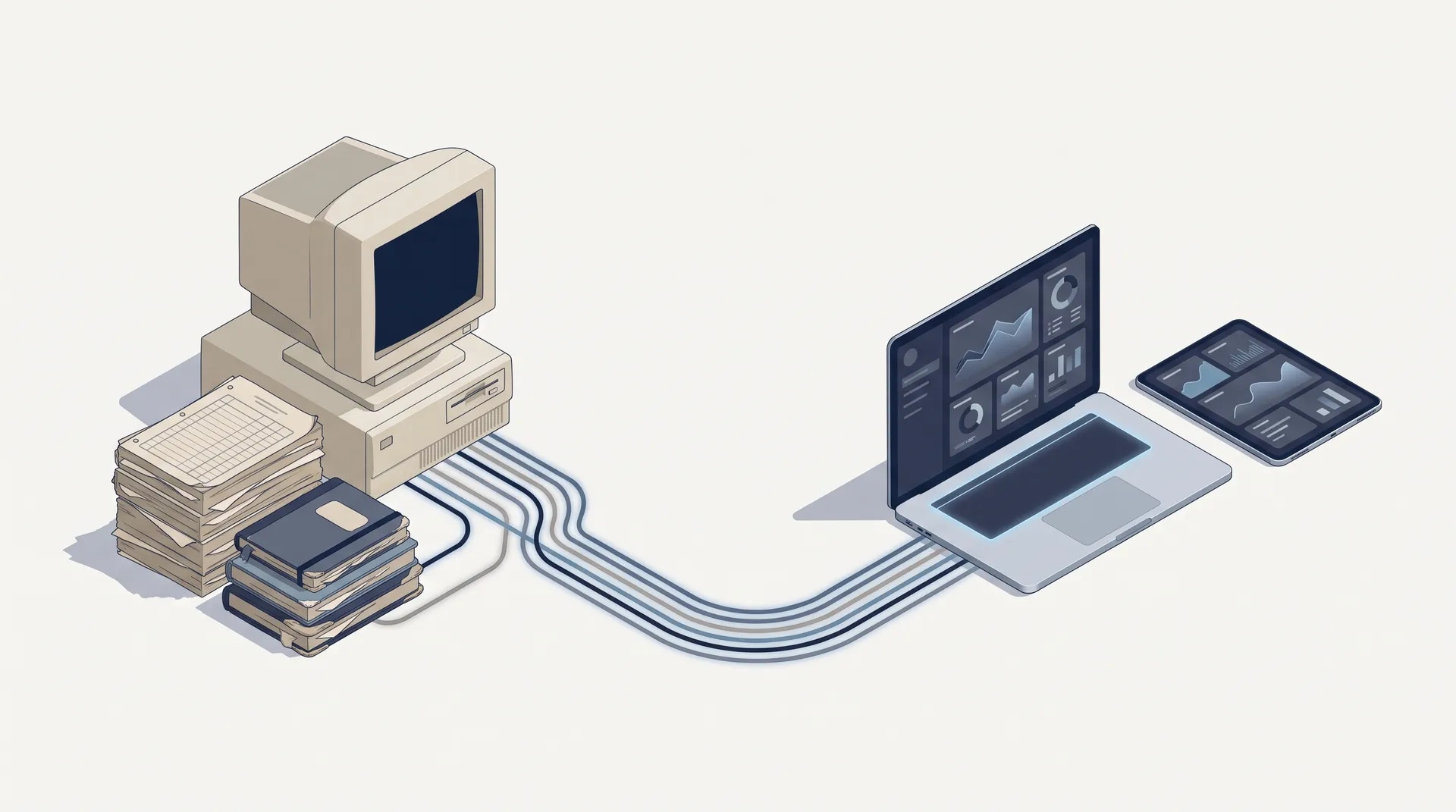
Many growing businesses still run on an ERP that was installed years ago: a desktop application on one office PC, a local server in a back room, or a patchwork of spreadsheets that grew into a "system". It worked when you had one outlet and a small team. But as you add branches, staff, and sales channels, the old setup starts to cost more than it saves.
Moving to a modern web app does not have to be a risky, all-or-nothing project. This playbook walks through the steps we recommend to business owners and operations leaders who are planning a migration.
1. Recognise the signs you have outgrown your legacy system
Before investing in a migration, be honest about the pain. Common signals include:
- Access is tied to a place. Reports only exist on the office computer, so managers wait until someone is on-site.
- Branches run separate books. Each outlet or warehouse has its own data, and consolidating stock or sales is a manual, end-of-month job.
- Everyone has the same access. There is no clear way to let staff record transactions while limiting who can change prices, approve purchases, or see payroll.
- Double entry is normal. Sales are typed into the ERP, then again into accounting software, then again into a marketplace dashboard.
- Nobody wants to touch it. The original vendor or developer is gone, updates are risky, and the server is one hardware failure away from a crisis.
If three or more of these sound familiar, it is time to plan.
2. Audit and map your real processes
The biggest mistake in ERP projects is copying the old screens into a new system. Instead, map how work actually flows today: from purchase order to goods received, from customer order to invoice, from attendance to payroll.
- List every module in use (sales, inventory, purchasing, finance, HR/payroll, CRM) and who uses each one.
- Document the workarounds. The side spreadsheets and WhatsApp approvals are where your real requirements hide.
- Define roles and permissions. Decide who can view, create, approve, and administer. A clear role model, for example Staff, Manager, Admin, and Owner, makes the new system safer from day one.
- Note industry-specific needs. A restaurant needs kitchen views and reorder alerts for ingredients; a garment business tracks variants such as size and colour; a manufacturer needs production and material planning.
3. Plan data migration and cleansing
Your data is the most valuable thing you are moving, and usually the messiest. Treat migration as its own workstream, not a final-week task.
- Decide what to bring over. Master data (products, customers, suppliers, employees, chart of accounts) and opening balances are essential. Full transaction history may be better archived in a read-only form.
- Clean before you move. Merge duplicate customers, standardise units of measure, retire dead SKUs, and fix inconsistent naming.
- Run trial migrations. Import into a test environment several times, and reconcile totals (stock quantities, receivables, payables) against the old system each time.
- Assign data owners. Someone in finance should sign off on balances; someone in operations should sign off on stock.
4. Choose your rollout: phased (strangler) vs big-bang
A big-bang cutover switches everything on a single date. It is faster on paper but concentrates risk: if something breaks, the whole business feels it.
A phased or strangler approach replaces the old system piece by piece. You might start with one module (for example inventory) or one branch, prove it works, then expand. The legacy system is gradually "strangled" until nothing depends on it.
For most SMEs with several branches or verticals, a phased rollout is the safer choice. Big-bang can make sense when the old system is very small, or when maintaining two systems in sync would be harder than a clean switch.
5. Run old and new systems in parallel
Whichever rollout you choose, plan a parallel-run period where key transactions are recorded in both systems. Compare daily sales, closing stock, and cash positions. Differences reveal configuration gaps, data issues, or training needs before they become real problems.
Set clear exit criteria in advance, such as "two consecutive weeks of matching stock and sales figures", so the team knows when it is safe to switch off the old system. The right length depends on your transaction volume and complexity: [CONFIRM: typical parallel-run duration CodeWorks recommends].
6. Plan your integrations early
A modern ERP rarely lives alone. Identify every system that needs to exchange data and decide how each connection will work:
- Accounting software: sync journals, invoices, and payments so finance does not re-key data.
- E-invoicing and tax reporting: make sure invoice formats and tax data meet current Indonesian requirements, and check with your tax advisor as regulations change.
- Marketplaces and online stores: keep stock levels and orders in sync across channels to avoid overselling.
- Payment, POS, and banking: reduce manual reconciliation.
For each integration, confirm whether an official API exists, who owns the account credentials, and what happens if the connection fails. [CONFIRM: specific integrations CodeWorks has delivered for ERP clients]
7. Invest in training and change management
A new system only succeeds if people use it. Resistance is normal, especially from staff who have mastered the old tool.
- Involve key users early in process mapping and testing, so the system reflects how they work.
- Train by role, not by module. A cashier, a warehouse lead, and an owner need very different sessions.
- Appoint champions in each branch who can answer everyday questions.
- Communicate the why. Fewer manual reports, access from anywhere, and less double entry are benefits staff will feel directly.
The technology is usually the easier part. Clean data, clear roles, and confident users are what make a migration stick.
8. Risk checklist before go-live
- Full backup of the legacy system and database, stored safely and tested for restore.
- Opening balances and stock reconciled and signed off by data owners.
- Roles and permissions reviewed for every user, especially Admin and Owner access.
- Integrations tested end to end with real-world scenarios.
- A rollback plan: what you will do, and who decides, if go-live fails.
- Support coverage arranged for the first weeks after go-live.
- Read-only access to historical data agreed and documented.
What a modern web ERP can look like
As an example, our Legacy ERP project is a multi-tenant web ERP that businesses access through a browser sign-in, with no desktop installation or self-managed servers. It includes branch switching with roles scoped per branch, a four-tier role system (Staff, Manager, Admin, Owner), granular permissions such as reorder alerts and kitchen views, and modules for Sales, Inventory, Purchases, Finance, HR/Payroll, CRM, and Analytics. It comes pre-configured for six verticals: Food & Beverage, Garment & Textile, Retail, Manufacturing, Services, and Hospitality.
Thinking about moving off an ageing ERP? We are happy to talk through your current setup and help you sketch a realistic migration path. Get in touch with the CodeWorks team.